A Claude voice agent that speaks in the meeting
A Claude voice agent for meetings needs more than a good model. MeetStream adds the meeting skills: a wake word, clean turn taking, barge-in and echo control, on Zoom, Google Meet and Microsoft Teams.
Why speaking in a meeting is hard
A meeting has many voices, cross talk and silence that means nothing. A voice agent has to know when it is being asked, when to stop, and how to keep its own voice out of what it hears.

A wake word keeps it quiet until it is called.
It stops when a person starts to talk.
Echo control keeps its own voice out.
Realtime models for speed, or Claude in pipeline mode.
Called by name, answered out loud
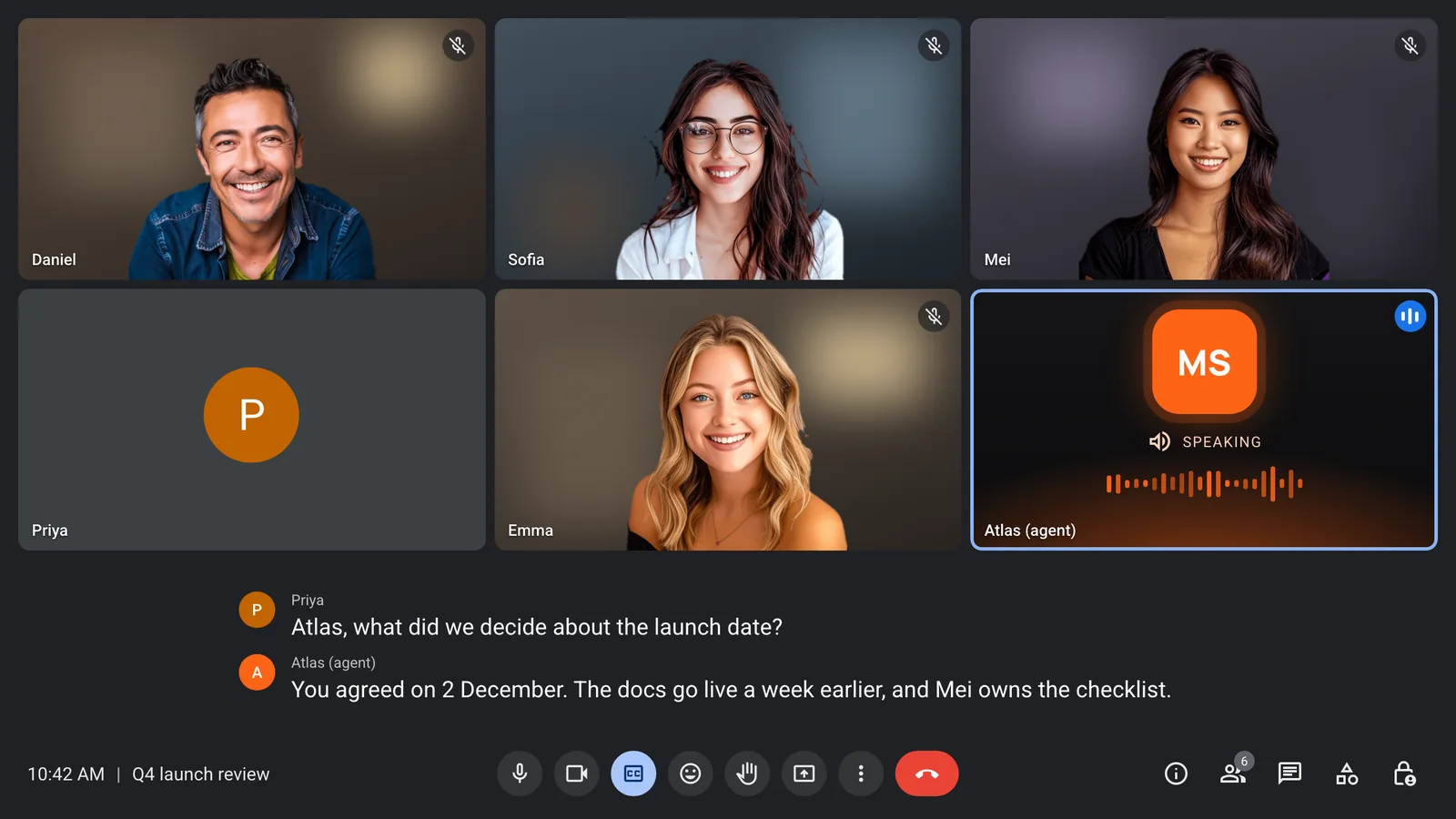
Priya asks a question using the agent's wake phrase. The agent answers in its own voice, and the reply lands in the transcript under its name.
- Spoken replies in the call
- Its replies in the transcript
- Speaker names in the transcript
- Chat replies when that fits better
The settings that make a voice agent polite
Each one is set per agent, and the prompt and wake phrase can also change during a live call. All of them are on voice agents.
- Wake phraseIn pipeline mode the agent waits for a phrase you set, such as its name. Once called, it keeps listening for 30 seconds, so follow-up questions need no phrase.
- Barge-inIn pipeline mode, talking over the agent stops it, while a short "mm-hm" does not, so it can finish a point.
- Turn takingSilence detection or a turn detection model decides when a person has finished speaking.
- Small callsTurn on the small-call setting and the agent skips the wake phrase in one to one calls.
Claude as the brain, your choice of voice
With Claude, the agent runs in pipeline mode: you pick the speech to text, Claude as the model and the voice. Realtime models from OpenAI, Google or xAI are the faster choice if speed matters most.
- Speech to text from Deepgram, OpenAI, AssemblyAI or xAI
- Claude for the reasoning
- Voices from OpenAI, ElevenLabs or xAI
- Your own provider keys
It can act while it talks
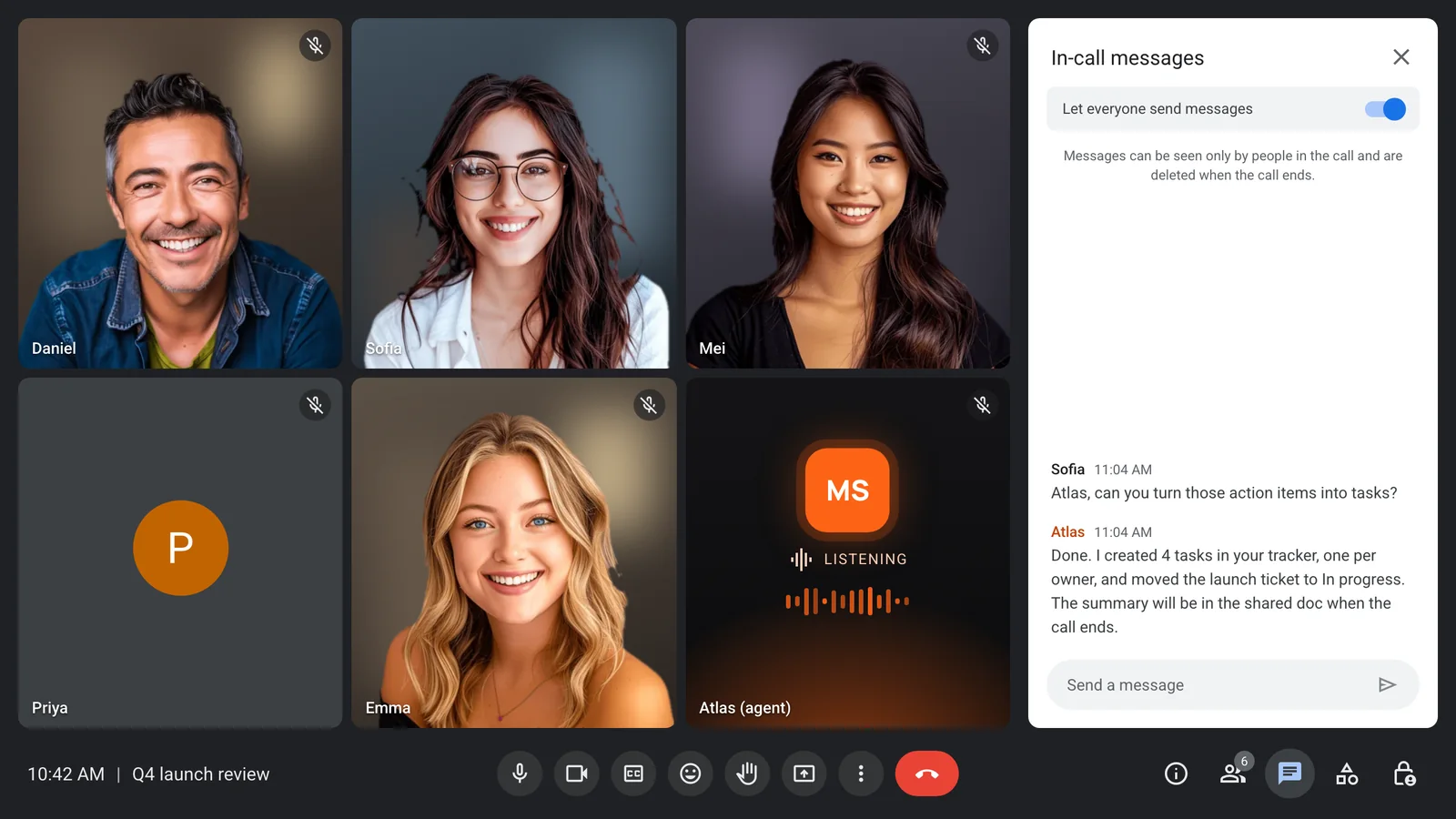
Ask the agent to file the tasks and it calls your tools, then confirms in the chat when it is done. Custom functions can also say a short line while they run.
- MCP servers with an allow-list
- Up to 20 custom functions
- An optional line while a tool runs
- A time limit per tool you can change
Everyone knows the agent is there
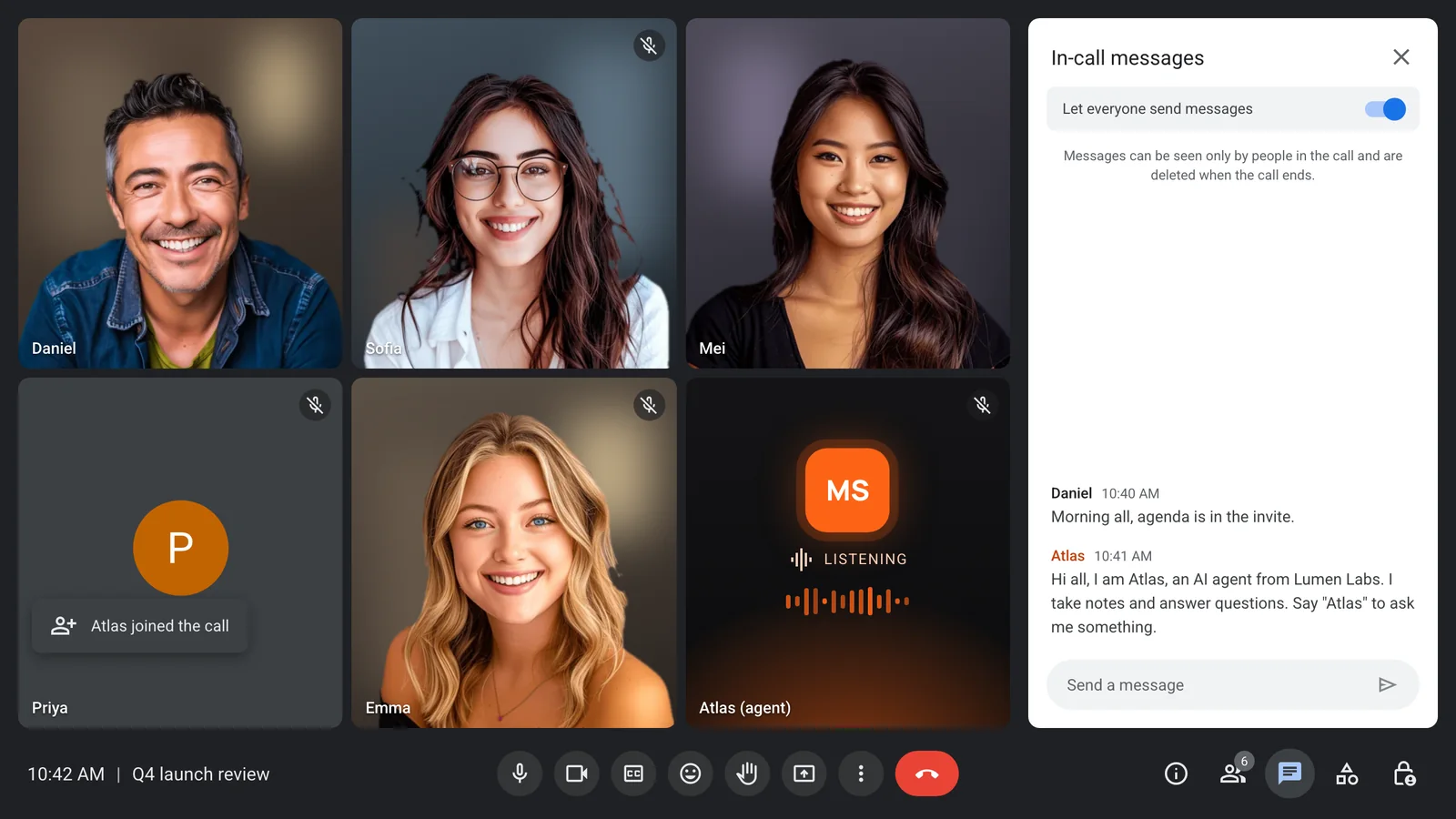
The agent joins under a clear name, posts a notice in the chat, and shows a video frame you choose, so nobody wonders who it is.
- A clear name in the grid
- A notice in the chat
- A video frame you choose
- Leaves on your rules
Enterprise-level security, keep your data private.
The certificate, the audit status and the Trust Center are all on the security page.
Keep recordings with MeetStream, or write them straight to your own storage bucket.
Support on Slack, email and chat, with a response inside one working day.
Concurrent bots scale on their own. There is no cluster for you to run.


Got a question? We got the answer.
Common questions about platforms, models, voice and data.
Can Claude speak in a meeting?
Yes, through a voice agent. Claude Meetings answers in writing by default. A MeetStream agent can use Claude as its model and speak the answer out loud in Zoom, Google Meet or Microsoft Teams.
How fast does a Claude voice agent reply?
Claude runs in pipeline mode, where speech to text, the model and speech run in turn. Realtime models from OpenAI, Google and xAI run end to end with one provider and reply faster.
What happens if someone talks over the agent?
In pipeline mode it stops speaking. A short "uh-huh" does not count as an interruption, and if the noise was a false alarm, the agent picks up again after about 2 seconds.
How does the agent know it is being asked?
In pipeline mode it listens for a wake phrase you set, often its name. After that it keeps listening for 30 seconds, so a follow-up question needs no phrase.
Which voices can it use?
Voices from OpenAI, ElevenLabs or xAI in pipeline mode. With your own Anam account, you can also give the agent an avatar.