Zoom Meeting Bot API to Record, Transcribe, and Stream Zoom Calls
Send a bot into any Zoom meeting with one API call. It joins through the Zoom Meeting SDK, records with host consent, returns a transcript and, on request, a separate audio and video feed per participant.
What is a Zoom meeting bot API?
It puts a participant into a Zoom call from your code, then hands the media back to your application.

Can I record Zoom without a bot?
Sometimes, on Zoom's own terms. Zoom has three native surfaces, and a bot API sits above all of them.
Fetches the files Zoom itself recorded, using the recording read scope.
RTMS gives per-participant media with no bot, if your users install your Marketplace app.
A 120-second join token for SDK bots. The host must be on Pro or higher.
Cloud recording needs a paid plan and is limited to the host or a co-host.
The meeting bot API overview covers all three platforms.
Zoom bots without the SDK, on any account.
OBF, ZAK or a plain join. The same request, whoever owns the meeting.
- Three ways in, one requestOBF for your customers' accounts, ZAK for your own, or a plain join.
- Fully isolated audio per participantEvery speaker arrives as a separate stream, not a mix.
- Host consent, handledThe bot asks the way Zoom requires and tells you when the host answers.
 Priya
Priya Daniel
What you get from every Zoom meeting
Two artefacts have pages of their own: the Zoom recording API and the Zoom transcription API.
Why is my Zoom bot in the waiting room?
It waits there until the host admits it, the way anyone else would.
- Named in the participant listThe bot appears under the name you pass.
- Recording consent, asked for youOnce inside, it asks the way Zoom requires.
- The host's answer, as an eventParticipant events tell your app which branch happened.
Which Zoom rules affect your bot?
Six Zoom rules decide what your bot may do. Each one links to Zoom's own documentation.
| Zoom rule | What it means for a bot |
|---|---|
| Cloud recording plan | Needs Pro, Business, Education or Enterprise. Local recording is available on free accounts. |
| Who may record natively | The host or a co-host only. The host can grant a participant the right. |
| Recording disclaimer | For external participants it cannot be disabled or customised at all on any plan. |
| OBF tokens, since 2 March 2026 | A participant must have authorized your app and already be in the meeting. |
| Waiting Room | Join before host will not work. The bot waits to be admitted like anyone else. |
| Consent | Zoom's API License and Terms of Use put the duty on the developer. |
The webhooks guide names every event.
Zoom setup before your first bot
Zoom is the one platform with customer-side work before the first bot.
- Register a Zoom Marketplace appMeeting SDK enabled, with the redirect URL and allow list set.
- Connect it in the dashboardPaste the client ID and secret, then complete OAuth.
- Ask Zoom for productionDevelopment mode joins only meetings your own account hosts.
- Add OBF for customer accountsEach user consents once, and the bot joins on their behalf.
- Read the detailThe Zoom integration page has the steps. The glossary covers OBF, ZAK and RTMS.
Send a bot into a Zoom call
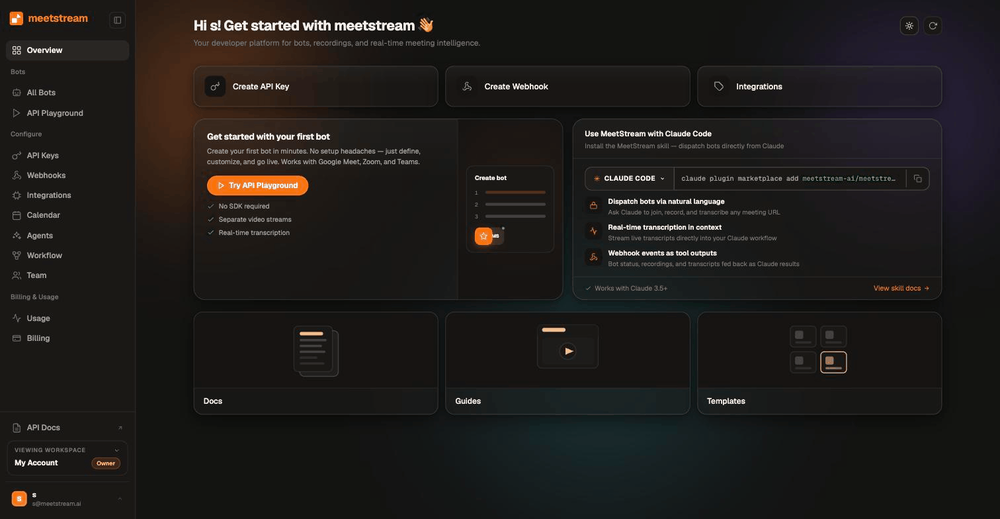
Create the bot with one request. It joins, records, and fires a webhook when the meeting ends.
curl -X POST https://api.meetstream.ai/api/v1/bots/create_bot \
  -H "Authorization: Token $MEETSTREAM_API_KEY" \
  -H "Content-Type: application/json" \
  -d '{
    "meeting_link": "https://zoom.us/j/74648392",
    "bot_name": "Acme Notetaker",
    "recording_config": { "transcript": { "provider": { "meetstream": {} } } },
    "callback_url": "https://your-app.example.com/meetstream"
  }'
Zoom meeting bot API pricing
A bot costs $0.35 per bot-hour. Transcription adds $0.10, and the rate falls toward $0.25 at volume.
Thirty days of storage is included. The pricing page has the full breakdown, and the Recall.ai comparison sets out the differences.
Enterprise-level security, keep your data private.
The certificate, the audit status and the Trust Center are all on the security page.
MeetStream is ISO 27001 certified, with SOC 2 Type 2 under audit.
MeetStream is GDPR compliant, and bots run in the United States by default.
The bot asks the way Zoom requires and tells you when the host answers.


Zoom bot limits and defaults
Ask for a longer session on the create request, and the create bot reference names the field.
Got a question? We got the answer.
Common questions about Zoom bots. How they join, what comes back, and what it costs.
Can I record a Zoom meeting without being the host?
Zoom's own cloud recording is limited to the host or a co-host. A host can grant a participant the right to record. A bot records what it receives as a participant, so it does not depend on your user holding host rights. Zoom still requires participants to be notified.
Can I record a Zoom meeting without a paid subscription?
Zoom cloud recording requires a paid plan. Local recording works on free accounts. A bot-based API works the same on any host plan, which is why products use one to record across their customers' Zoom accounts.
Do Zoom participants know a bot is recording?
Yes. The bot appears in the participant list under the name you choose. Zoom shows its recording disclaimer to external participants on every plan. Phone participants always hear an audio prompt.
What is an OBF token and do I need to handle it?
OBF (On Behalf Of) is a short-lived, single-use Zoom token required for Meeting SDK bots since 2 March 2026. Your server runs the Zoom OAuth flow and mints it; pass that endpoint as obf_url and MeetStream fetches a fresh token at join time. The authorizing user must already be in the meeting.
Is Zoom RTMS a better option than a bot?
Sometimes. RTMS gives per-participant media with no bot in the room, which is cleaner, but it needs a user-managed Marketplace app, Developer Pack credits, and admin permission. If your users install your Zoom app, RTMS fits well. If you want to record straight from a link, a bot covers it.
Can I get separate audio for each Zoom participant?
Yes. Zoom gives every participant a fully separate audio and video feed. Turn it on with audio_separate_streams and video_separate_streams when you create the bot. Speaker names come from Zoom itself, not from a diarization model guessing at a mixed track.
How long can a Zoom bot stay in a meeting?
Four hours by default, and up to five hours (18,000 seconds) when you raise the session limit on the create request. There is no cap on how many bots run at the same time.
What happens while the bot is in the waiting room?
It waits to be admitted. Participant events tell your app that it is waiting, so you can show that live status to your user and prompt the host to let the bot in.
Does this work with Zoom Webinars as well as Meetings?
MeetStream covers Zoom Meetings today, and the same request handles every meeting link. For a webinar build, tell us the case and we will scope it with you.
How much does a Zoom meeting bot cost?
$0.35 per bot-hour for recording, or $0.45 per hour with transcription, dropping toward $0.25 at volume. Thirty days of storage is included and every account starts with $5 of free credit.
Zoom recording on any account, including your customers'.
Zoom's native recording and media APIs depend on the host's plan, permissions and installed apps. One request replaces the SDK.
Put a bot in your next Zoom call
$5 of free credit, self-serve API keys, and no sales call between you and your first recording.