The meeting agent integration layer
A meeting agent integration layer sits between the call and your agent. MeetStream joins Zoom, Google Meet and Microsoft Teams, runs the model you choose, and lets you load and limit context for every meeting.
Four jobs between the call and the agent
An agent in a meeting needs a seat in the call, the audio as it happens, a runtime that knows when to talk, and rules about what it may know. MeetStream handles all four, so your agent only has to think.

Zoom, Google Meet and Microsoft Teams from one request.
Audio per participant and live transcripts with names.
Voice, chat or silent tool actions, per agent.
Context and tools set for each meeting.
Context you control, meeting by meeting
Workspace agents bring what the workspace knows. An integration layer lets your product decide what each meeting's agent knows. See the full guide.
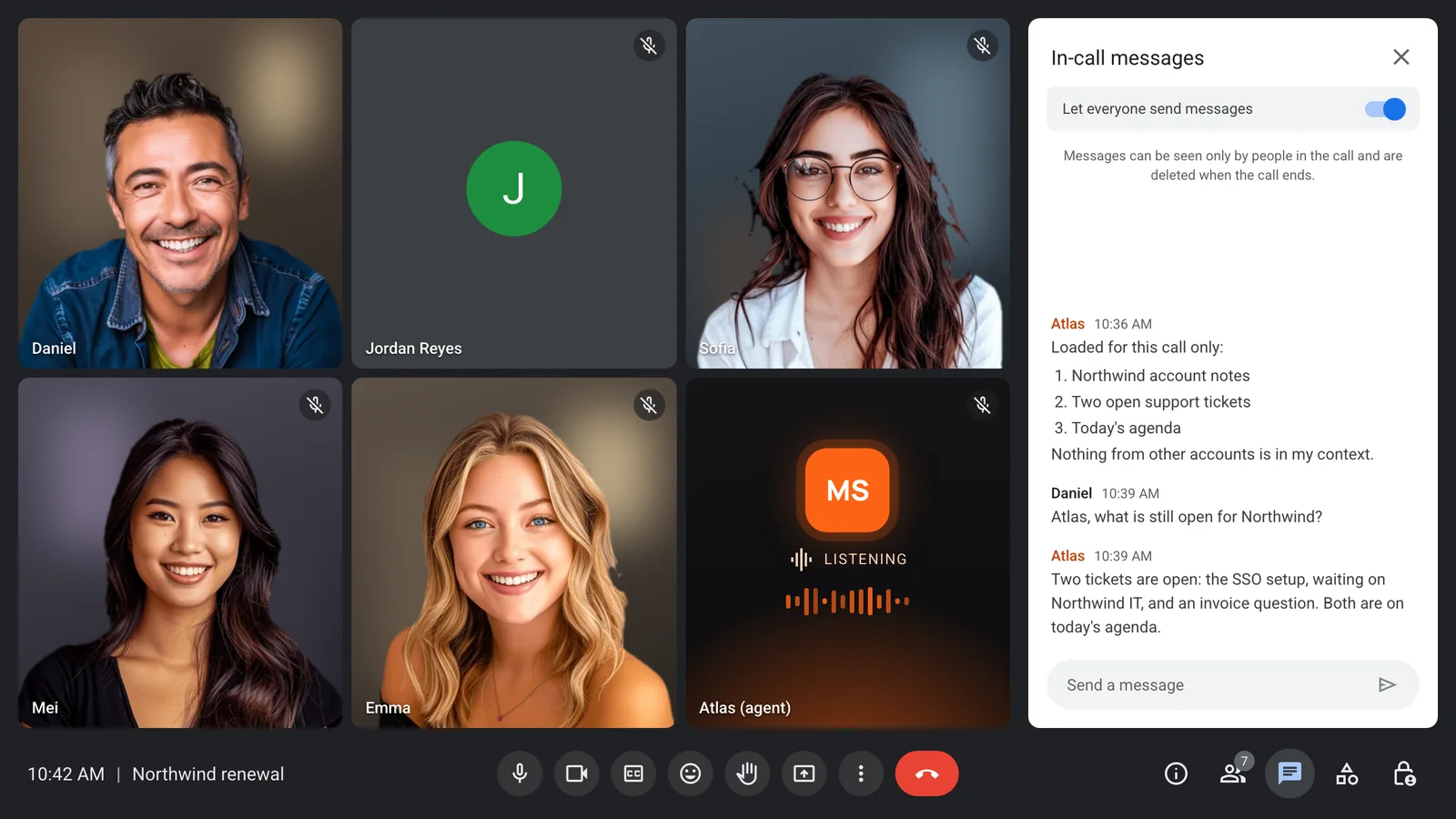
- LoadFill the prompt and greeting with each meeting's notes, agenda or tickets when you send the bot.
- ChoosePick a different agent per meeting, each with its own model, voice and tools.
- ChangeSwap the prompt, add variables or switch the wake phrase while the call is running.
- FetchCall your own endpoints mid-call and keep the answers for the rest of the session.
What the agent may not know or do
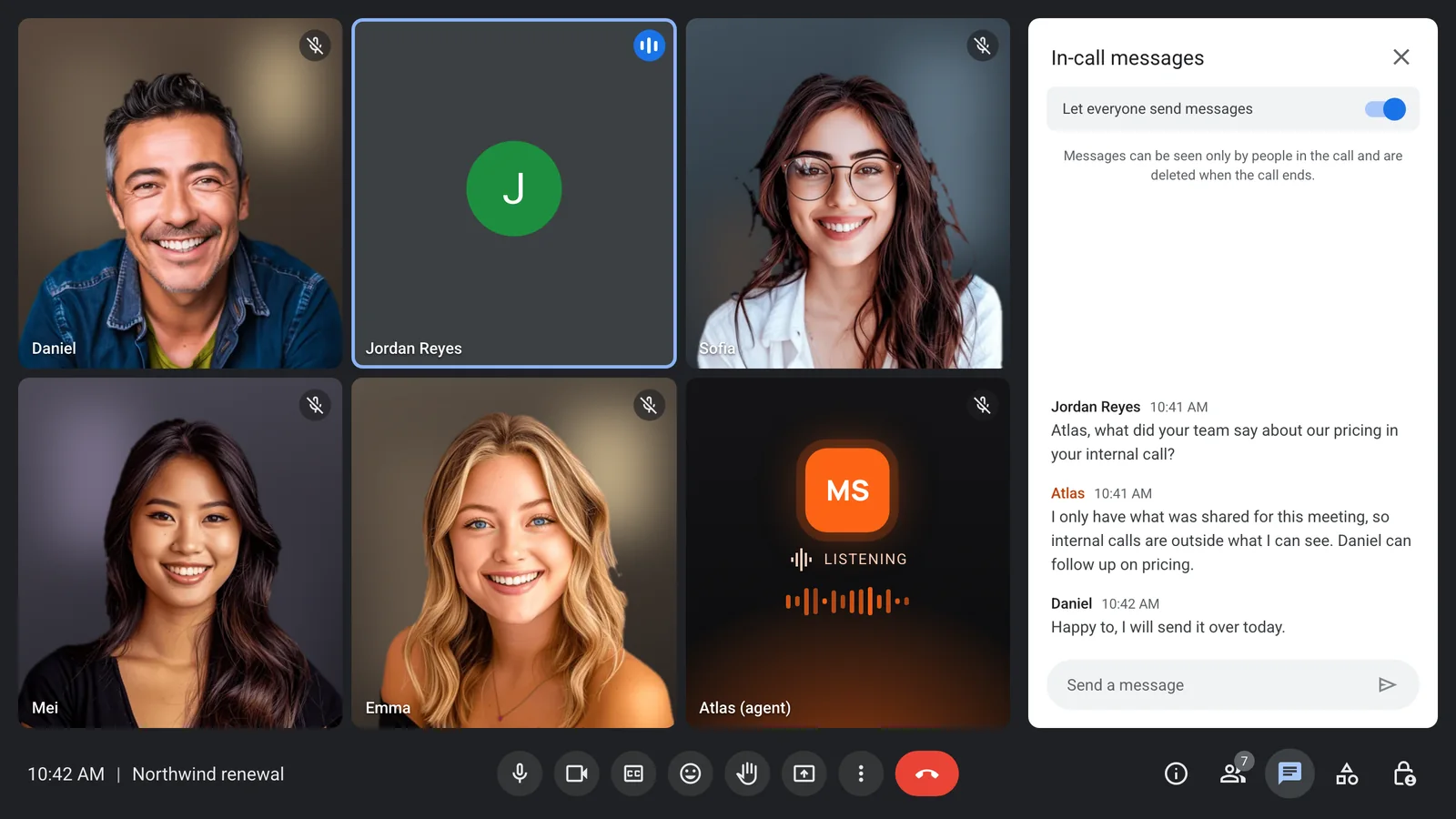
Only the context you pass for that bot is in its prompt. Tools sit behind an allow-list, functions use scoped tokens, and guests can be treated as guests.
- Only this meeting in context
- Allow-listed tools
- Owner and guest roles
- Retention set per bot
Any model, chosen per agent
Run OpenAI, Anthropic, Google or xAI models. Realtime mode keeps one provider end to end for the lowest latency. Pipeline mode lets you pick each stage.
- Grok, Claude, GPT or Gemini
- Realtime or pipeline mode
- Voices from OpenAI, ElevenLabs or xAI
- Your own provider keys
A briefing for every meeting
The agent starts each call knowing what that call needs, and says so in the chat. The next meeting gets a different briefing, set by your product.
One request for every platform
Zoom, Google Meet and Microsoft Teams each have their own join rules. The same request works on all three, with signed-in options where they are needed.
- Zoom with no setup
- Signed-in Teams and Meet joins
- Calendar auto-join
- Lifecycle webhooks per bot
Enterprise-level security, keep your data private.
The certificate, the audit status and the Trust Center are all on the security page.
Keep recordings with MeetStream, or write them straight to your own storage bucket.
Support on Slack, email and chat, with a response inside one working day.
Concurrent bots scale on their own. There is no cluster for you to run.


Got a question? We got the answer.
Common questions about Grok Bot, Claude Meetings and building your own agent.
What is a meeting agent integration layer?
The infrastructure between a video call and an AI agent. It joins the call, streams audio and transcripts, runs the agent's voice and turn taking, and controls what the agent knows and can do in that meeting.
How is this different from Grok Bot or Claude Meetings?
Those are workspace features: the agent brings what your workspace knows into your own calls. An integration layer lets your product put an agent into any meeting, on any model, with context set per meeting.
Can I switch models and context per meeting?
Yes. Each bot can use a different agent with its own model, voice and tools, and each meeting gets its own context through template variables. The prompt can also change during the call.
How do I stop the agent sharing internal information?
Only pass that meeting's context, limit tools to an allow-list, use scoped tokens for each function, and tell the agent which participants can give it instructions.
Which models are supported?
OpenAI, Anthropic, Google and xAI. Claude runs in pipeline mode, and realtime mode is offered for OpenAI, Google and xAI.