A Claude meeting assistant for every call
A Claude meeting assistant should do more than write notes. With MeetStream, your assistant joins Zoom, Google Meet and Microsoft Teams, answers in chat, shows a live summary and turns action items into tasks.
Four jobs for a meeting assistant
Notes are the start. A useful assistant answers questions while people still care, keeps the room in step, and leaves every owner with a task before the call ends.

Transcript, summary and decisions, with speaker names.
Questions in chat or out loud, answered on the spot.
Decisions and owners on the agent's own tile.
Action items sent to your tracker during the call.
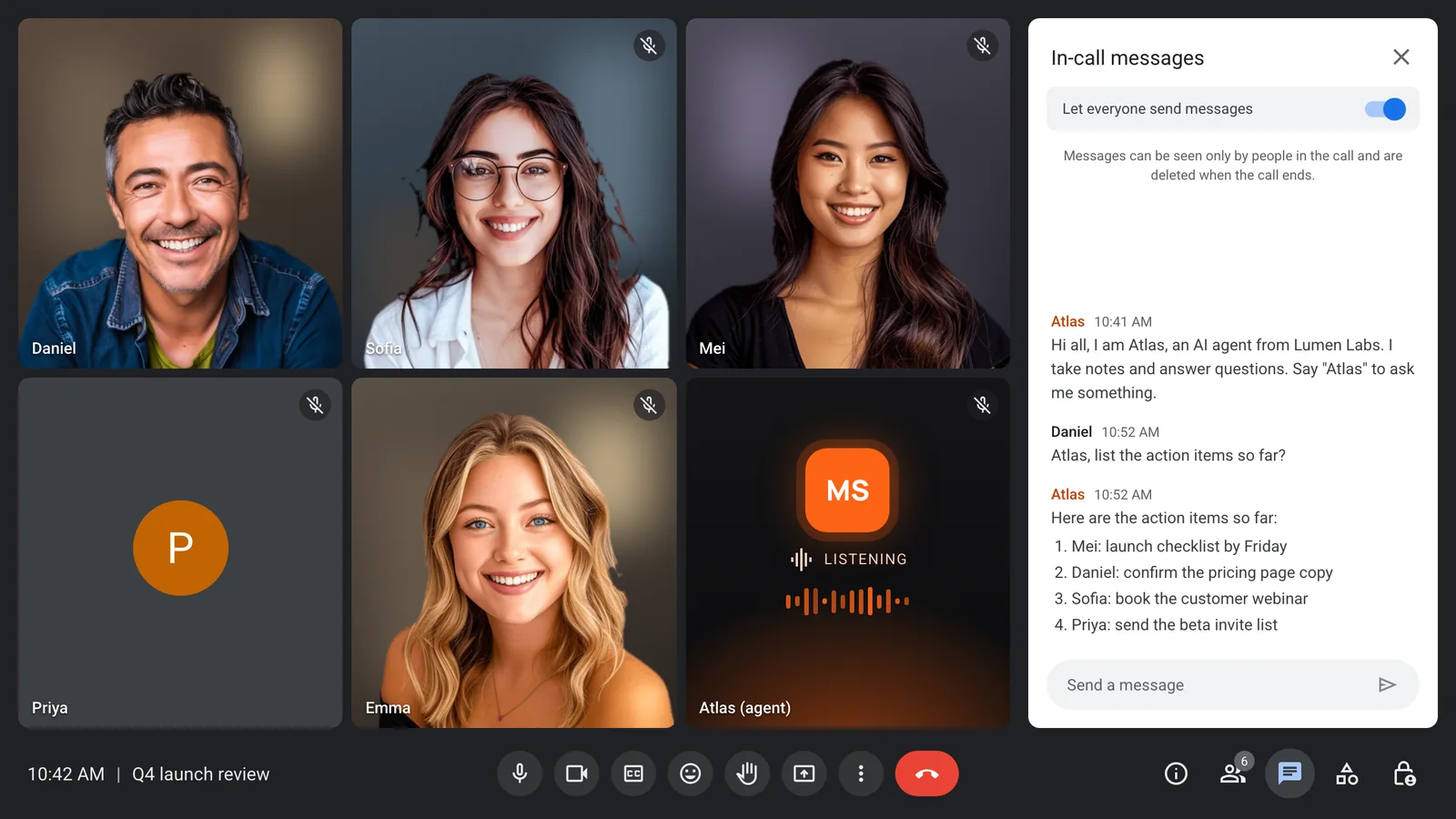
Ask for the action items, get a list
Anyone can ask the assistant in the meeting chat. It reads the conversation so far and posts the answer, with names and dates.
- Questions typed in the chat
- Answers with owners and dates
- Uses the conversation so far
- No one has to take notes
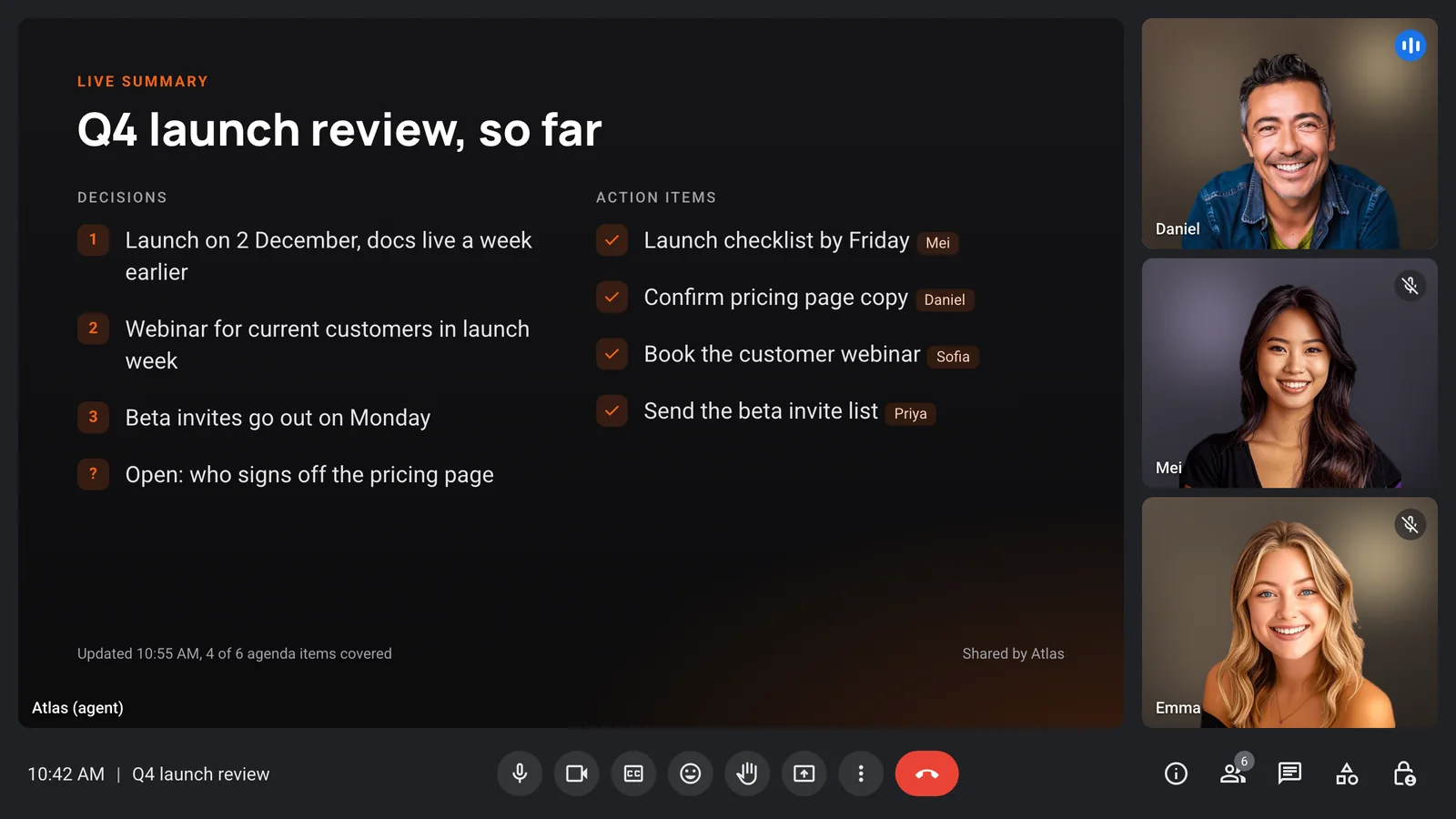
A summary the whole room can see
Send a running summary as the assistant's own video frame, and people can correct it while they are still in the call, not in a thread a day later.
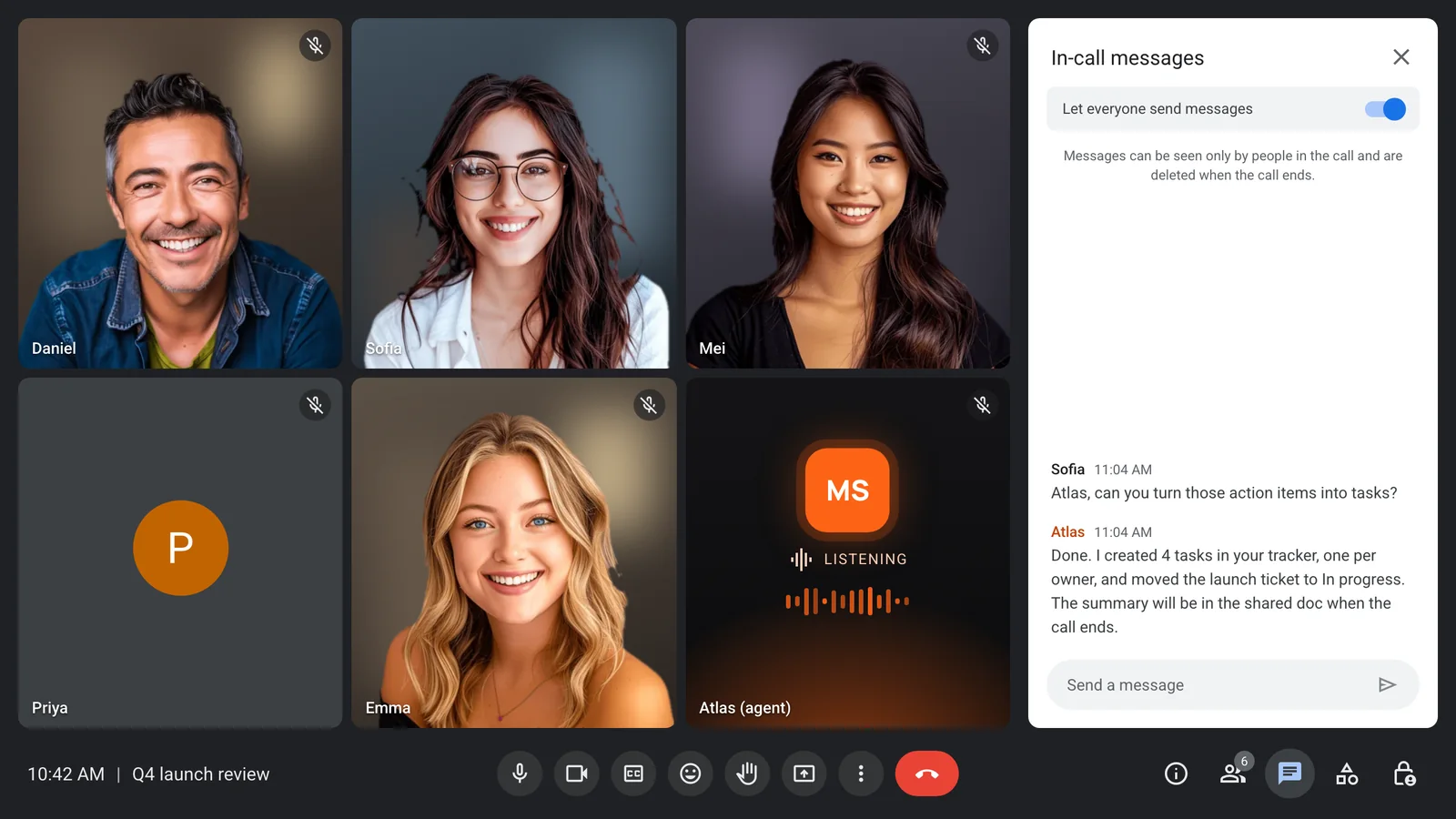
Action items become tasks before goodbye
Through MCP servers or your own functions, the assistant creates tasks, moves tickets and updates your CRM as soon as someone asks.
- MCP servers with an allow-list
- Up to 20 custom functions
- Silent turns for pure actions
- An optional filler line for slow tools
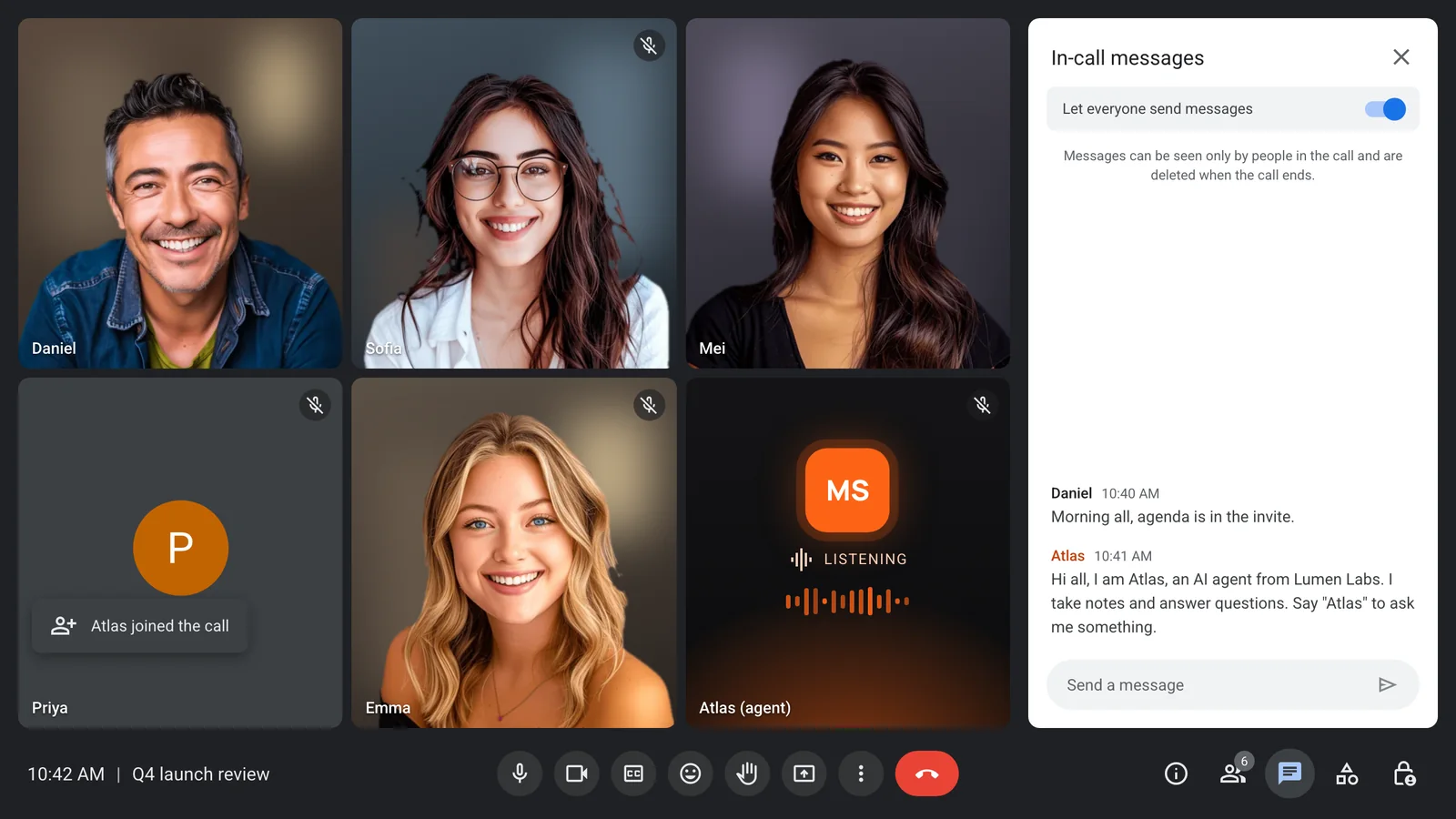
It joins on its own from the calendar
Connect Google or Microsoft calendars and the assistant joins each scheduled call by itself, with a short hello in the chat.
- Google and Microsoft calendars
- Joins scheduled calls on its own
- A hello in the meeting chat
- Calendar sync at no extra cost
Enterprise-level security, keep your data private.
The certificate, the audit status and the Trust Center are all on the security page.
Keep recordings with MeetStream, or write them straight to your own storage bucket.
Support on Slack, email and chat, with a response inside one working day.
Concurrent bots scale on their own. There is no cluster for you to run.


Got a question? We got the answer.
Common questions about platforms, models, voice and data.
What is a Claude meeting assistant?
An assistant that joins video calls and uses Claude to take notes, answer questions and act on what it hears. MeetStream provides the bot, the audio and the voice, and Claude provides the reasoning.
Can the assistant join Zoom and Microsoft Teams?
Yes. The same assistant joins Zoom, Google Meet and Microsoft Teams from one API request.
Where do the notes go?
Wherever you send them. Transcripts, audio and summaries come to your app through webhooks and the API, and recordings can go straight to your own storage bucket.
Can it update my task tracker or CRM?
Yes. Connect an MCP server or define custom functions, and the assistant calls them during the meeting, with no need for a person to type.
Does it have to speak?
No. It can answer only in the chat, only out loud, or act silently through tools. You choose per assistant.
Give every meeting an assistant
Notes, answers and tasks on Zoom, Google Meet and Microsoft Teams.