
Can AI Transcribe Multiple Speakers? Diarization vs Per-Participant Audio

Yes, an AI can transcribe multiple speakers, but the accuracy depends entirely on the method used. The two primary approaches are speaker diarization, which analyzes a single mixed audio track to guess who spoke when, and per-participant audio, which captures a separate, isolated audio stream for each person. While diarization is common, per-participant audio provides much higher accuracy because it eliminates the problem of overlapping speech.
For developers building applications on top of meeting data, knowing who said what is fundamental. Action item extraction, sales coaching analysis, and compliance logging all fail without reliable speaker labels. This is a core part of our work at MeetStream, where our API provides infrastructure for AI agents to join meetings, hear the conversation, and act on it. We have processed over a million meeting minutes, and we see that the most effective applications are built on clean, correctly attributed data.
The choice between diarization and per-participant streams is a significant architectural decision. It affects accuracy, latency, and the complexity of your application. Let's walk through how each method works in practice.
Why Speaker Attribution Is a Hard Problem
The main difficulty in transcribing multiple speakers is that a standard meeting recording is a single, mixed audio signal. When five people are on a call, their voices, background noises, and network artifacts are all blended into one track. Separating this back into individual contributions is a complex signal processing challenge.
Meetings introduce specific problems. Unlike clean, scripted audio, conversations are messy. People interrupt each other, talk over one another, and finish each other's sentences. This crosstalk is where acoustic diarization models often fail, incorrectly merging or splitting speaker segments. Audio quality also varies widely between participants, with one person using a clear headset and another joining from a car on a mobile device. Finally, speakers with similar vocal characteristics, like pitch and accent, can confuse models that rely on clustering voice embeddings.
The most direct solution is to avoid mixing the audio in the first place. Meeting platforms like Zoom, Google Meet, and Microsoft Teams handle audio as separate streams internally before mixing them for playback. Accessing those raw, pre-mixed streams is the basis of the per-participant audio approach and is the most reliable way to get accurate speaker labels.
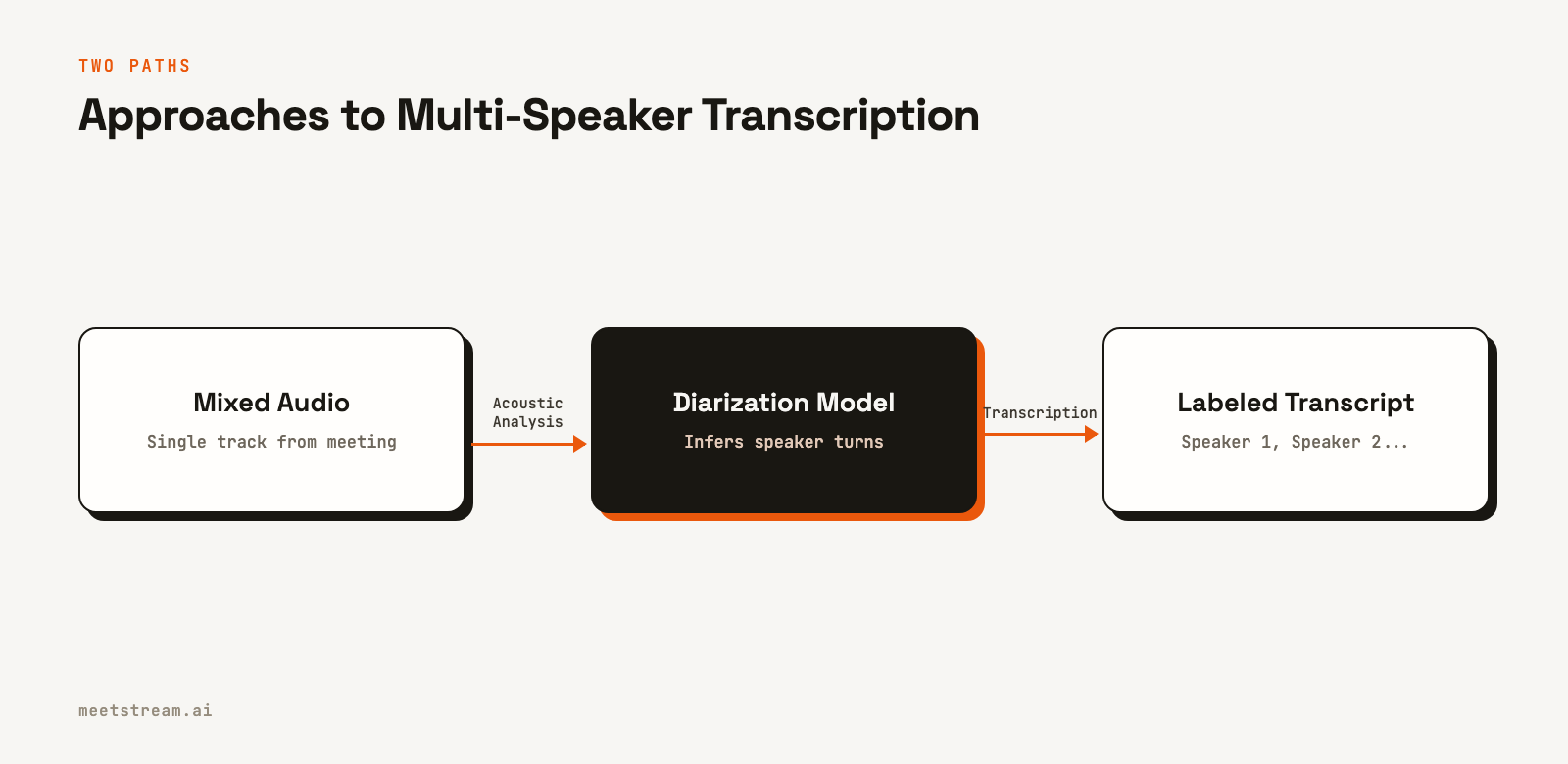
Approach 1: Post-Call Diarization
Post-call diarization is a common method for adding speaker labels to a finished recording. You send a single audio file to a transcription provider, and it returns a transcript with generic labels like Speaker 0 and Speaker 1. This works well for use cases that are not time-sensitive, such as generating notes after a call ends.
With MeetStream, you can configure a bot to use a provider like Deepgram or AssemblyAI for post-call transcription. You specify the provider in the recording_config object when creating the bot. The transcription process starts after the bot leaves the meeting, and a webhook notifies you when the result is ready.
curl -X POST "https://api.meetstream.ai/api/v1/bots/create_bot" \
  -H "Authorization: Token <YOUR_API_KEY>" \
  -H "Content-Type: application/json" \
  -d '{
    "meeting_link": "https://meet.google.com/abc-defg-hij",
    "bot_name": "Notetaker",
    "callback_url": "https://your-app.com/webhooks/meetstream",
    "recording_config": {
      "transcript": {
        "provider": {
          "deepgram": {
            "model": "nova-2",
            "diarize": true
          }
        }
      }
    }
  }'
The main challenge with this approach is mapping the generic speaker labels to the actual participant names. You receive a transcript where utterances are tagged with speaker_0, but you need to know if that was Alice or Bob. This requires a second step where you fetch the meeting's participant list from the MeetStream API and use heuristics, like speaking order or voice matching, to align the labels with real names.
Approach 2: Per-Participant Audio Streams
A more accurate method is to capture separate audio streams for each participant. This moves speaker attribution from a probabilistic inference problem to a deterministic data routing problem. If you know which stream the audio came from, you know who the speaker was. This is especially effective for building real-time features, like live coaching or AI agent responses, where low latency and high accuracy are critical.
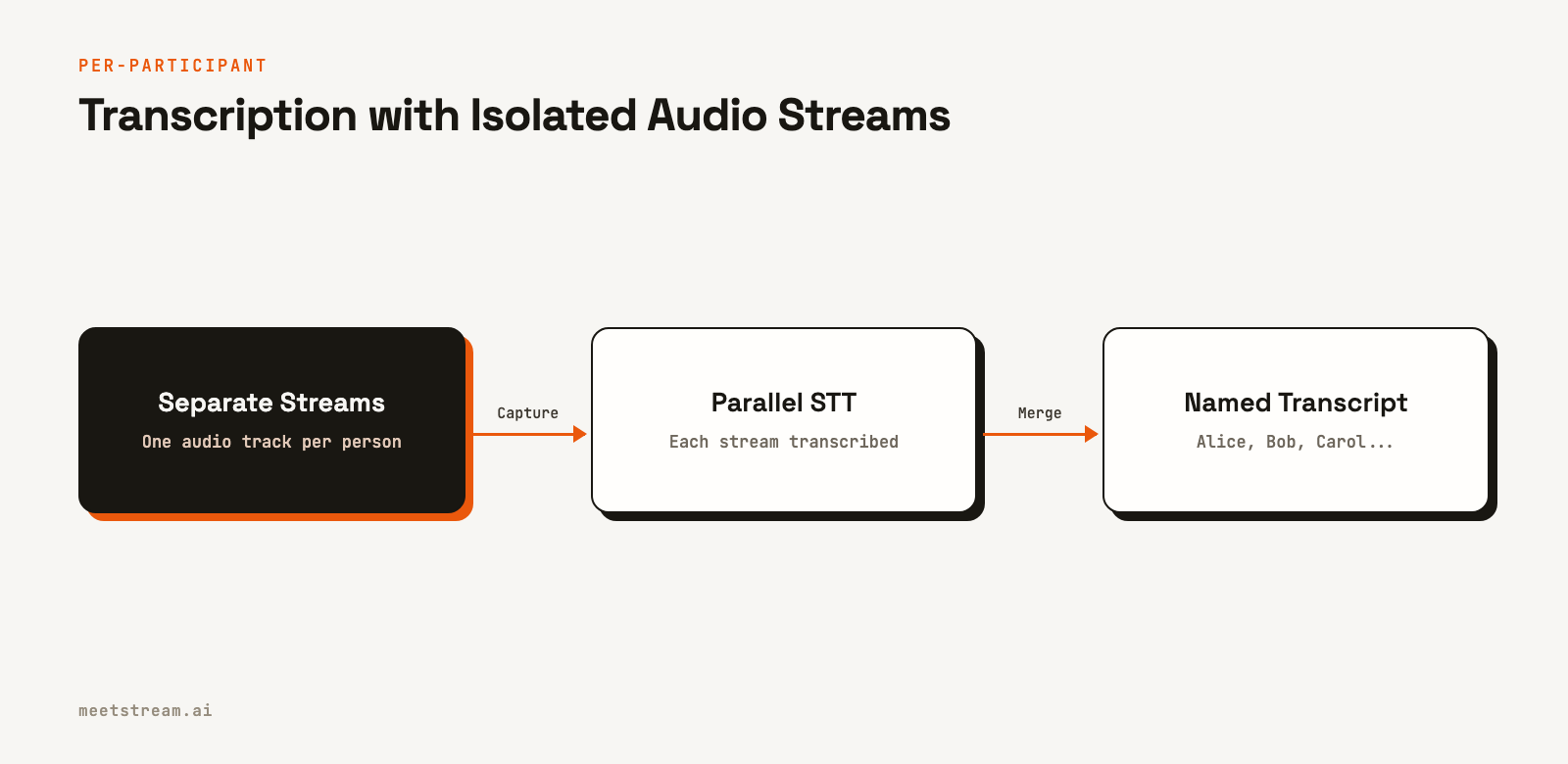
MeetStream provides access to these streams through a WebSocket connection. By setting the live_audio_required parameter, you instruct the MeetStream bot to forward per-participant audio directly to your server in real time. On Zoom, these streams are fully isolated. On Google Meet and Teams, the audio is speaker-attributed for up to three concurrent speakers, which still provides a clean signal for transcription.
curl -X POST "https://api.meetstream.ai/api/v1/bots/create_bot" \
  -H "Authorization: Token <YOUR_API_KEY>" \
  -H "Content-Type: application/json" \
  -d '{
    "meeting_link": "https://meet.google.com/abc-defg-hij",
    "bot_name": "Live Agent",
    "live_audio_required": {
      "websocket_url": "wss://your-server.com/audio"
    }
  }'
Each binary frame received over the WebSocket includes the speaker's name and a stable ID alongside the raw PCM audio data. This means you can route each speaker's audio to a separate transcription process, either in the cloud or on your own infrastructure. The result is a reliably attributed transcript without any ambiguity from crosstalk.
Comparing Diarization and Per-Participant Audio
Choosing between these two methods involves a set of tradeoffs. Diarization is simpler to implement initially but offers lower accuracy, while per-participant audio requires more infrastructure but delivers superior results.
| Factor | Post-Call Diarization | Per-Participant Audio |
|---|---|---|
| Accuracy | Moderate to high, degrades with crosstalk | Very high, unaffected by crosstalk |
| Latency | Post-call only (minutes to hours) | Real-time (~200ms) |
| Implementation | Simple API call, one webhook | Requires WebSocket server to handle streams |
| Speaker Labels | Generic (Speaker 0, 1), requires mapping | Named (Alice, Bob), provided in stream |
| Best For | Asynchronous notes, summaries, analysis | Live agents, real-time coaching, captions |
For many teams, a hybrid approach is practical. You can use real-time audio streams for in-meeting features and also configure a post-call transcript for archival purposes. This gives you both immediate, actionable data and a high-quality, permanent record of the conversation.
How MeetStream Enables Accurate Transcription
MeetStream is designed as agent-first voice infrastructure for meetings. Our goal is to enable developers to build AI agents that can reliably participate in conversations across Zoom, Google Meet, and Teams. Accurately transcribing multiple speakers is a foundational piece of this.
Our API provides multiple ways to get attributed text. For the highest accuracy, the live_audio_required parameter gives you direct access to per-participant audio. For simplicity and real-time use cases, the live_transcription_required parameter sends speaker-named transcript snippets to a webhook as they are generated. For high-quality archival transcripts, you can use our integrations with providers like Deepgram and AssemblyAI via the recording_config.
Because our bots join as actual participants, they have access to the same participant list and metadata that a human user does. This allows our platform to provide accurate speaker names directly, removing the need for you to build and maintain complex logic to map generic labels to real people.
Conclusion
AI can effectively transcribe multiple speakers, but the best approach depends on your application's requirements for accuracy and latency. Post-call diarization offers a simple way to get a speaker-labeled transcript after a meeting, but it struggles with the crosstalk common in real conversations. Capturing per-participant audio streams provides a much more reliable and accurate source for both real-time and post-call transcription. If you are building features that depend on knowing exactly who said what, using separate audio streams is the most direct path to a good user experience. Get started free at meetstream.ai.
Related guides
- Record Each Meeting Participant Separately: Per-Participant Audio API
- Transcript API with Speaker Labels: Diarization Explained
- Build a Teams Transcription Bot: Real-Time Speaker-Labelled Audio
- What is per-participant audio? Definition + benefits
Frequently Asked Questions
What is the difference between diarization and multi-speaker transcription?
Diarization is the process of identifying "who spoke when" in an audio recording, segmenting it by speaker. Multi-speaker transcription uses that information to produce text where each word is assigned to a specific speaker. Diarization is often the first step in a multi-speaker transcription pipeline.
How does crosstalk affect transcription accuracy?
When multiple people speak at once, their voices overlap in a mixed audio track. This makes it difficult for diarization models to separate the speech, often leading to errors where one speaker's words are attributed to another or the text is garbled. Per-participant audio solves this by providing an isolated track for each speaker.
Can you get a real-time transcript with speaker labels?
Yes. With an API like MeetStream, you can use the live_transcription_required option to receive transcript segments via a webhook in real time. Each payload includes the recognized text and the name of the person speaking, sourced directly from the meeting platform's participant list.
How do you map generic speaker labels to real names?
When using post-call diarization that returns labels like "Speaker 0", you must perform a mapping step. This usually involves fetching the list of meeting participants and using heuristics, such as the order of speaking, to align the generic labels with the actual names.
Is per-participant audio available on all meeting platforms?
The level of audio separation varies by platform. MeetStream provides fully isolated per-participant audio on Zoom. For Google Meet and Microsoft Teams, it provides speaker-attributed streams, which are still highly effective for accurate transcription compared to a single mixed track.


